
Can you trust Google's AI Overview?
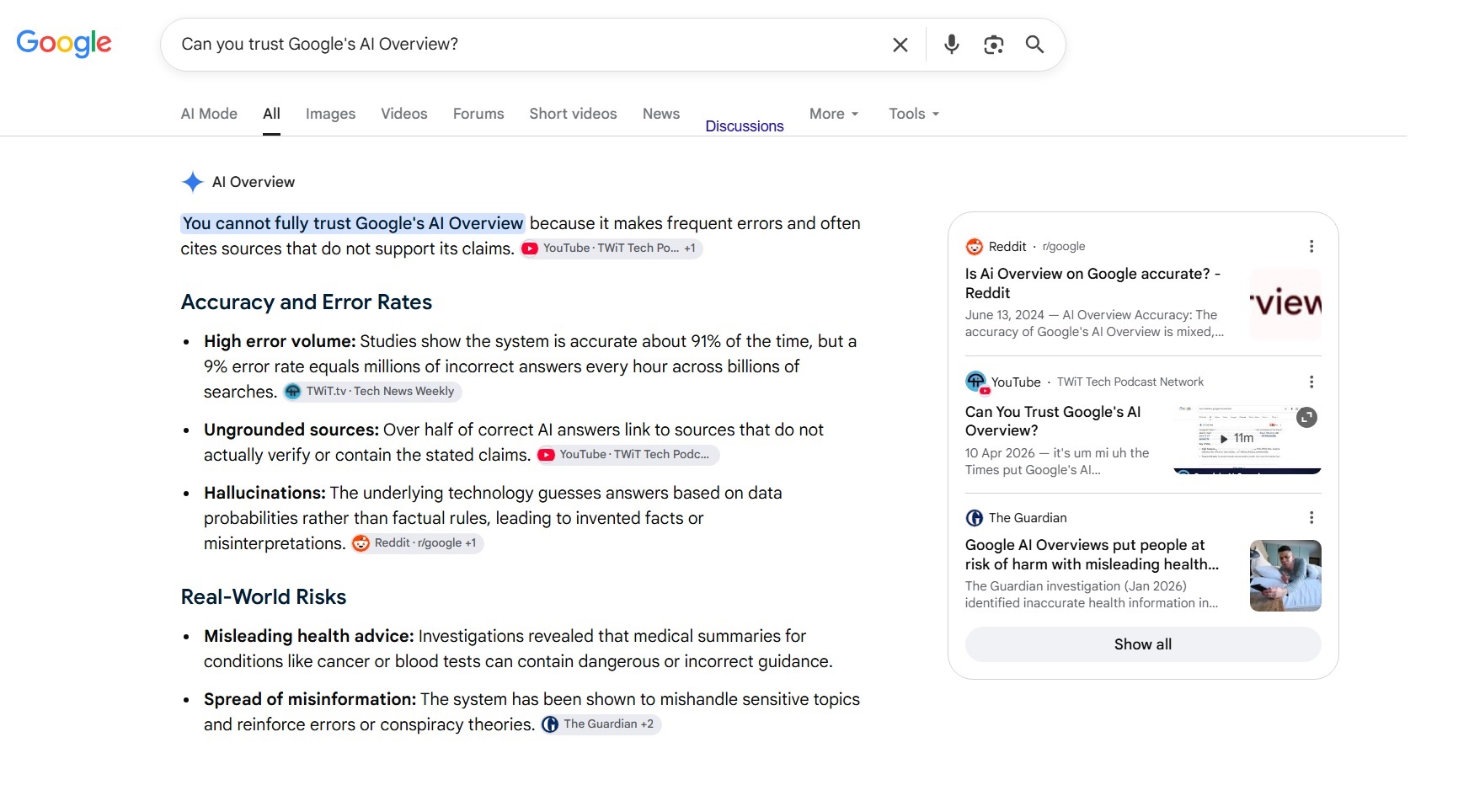
When you search something on Google, you'll see an AI-written summary sitting right at the top of the results, before any of the usual links. That's the AI Overview. Google's system reads through a handful of web pages, then writes up a quick answer for you, so you don't have to click through to anything yourself.
The question is, can you trust Google's AI Overview?
For quick, everyday questions, it can be useful. But for anything significant or high stakes, like a visa application, a health symptom, or a financial decision, don't stop at the AI summary. Check an official website or speak to an expert who can look at your situation.
Key takeaways
Google's AI Overview generates answers from the web in real time using something called RAG. It gets things right most of the time, but at Google's scale, that still adds up to millions of mistakes. The safest approach: use it as a starting point for simple questions, and go straight to a trusted source or professional for anything important.
How does Google's AI Overview work?
Google's AI Overview uses something called RAG, short for Retrieval-Augmented Generation. That means it doesn't just recall facts from old training data. It goes out, searches the web in real time, and creates an answer from what it finds then and there.
The information is always current. But, fresh doesn't mean accurate.
The AI reads through several sources in a few seconds, writes a convincing answer, and adds related details. It'll sound right whether it is or isn't. The tool doesn't check its own homework, so it's on you to verify the sources.
When a tool gives you a confident-sounding answer every time, you might stop asking "is this true?" and start just accepting it. In time, that trains people to read less and question less.
Researchers call this a drop in search literacy: we end up with passive readers instead of curious ones. This can be problematic. Google's AI is not always right, and it has been found to reinforce false conspiracy theories.
Are Google AI Overviews accurate?
Mostly, yes. But "mostly" isn't good enough when there are about 16.4 billion searches on Google every single day.
An AI startup called Oumi examined the numbers and found Google's AI Overviews get it right around nine times out of ten. On its own, that sounds pretty decent.
Now, zoom out. Google processes more than five trillion searches a year. Run the math on a "nine out of ten" success rate and you end up with a whole lot of wrong answers every hour. Every minute, huge numbers of people are reading something that isn't right and don't know it.
Why does this happen? The AI reads web pages, blends what it finds, and writes one smooth-sounding paragraph. It's not lying to you on purpose. It's doing its best with whatever it grabbed off the internet in that split second. Sometimes, what it grabbed was taken out of context or just plain untrue. The answer still reads with total confidence either way.
For a quick question, like "how long do I air-fry frozen chips," a wrong answer won't hurt much. You'll just end up with soggy chips. But for anything with stakes attached, a nine-out-of-ten hit rate means you could be the one in ten.
How to find quality information online

Think of an AI overview as a starting point. It's a fast way to get pointed in the right direction, but the answer you can trust is somewhere else. Here's how to track it down:
- Go straight to the source. If you're after information on a business, government service, or product, search for it. Skip past anything labelled "sponsored." Those are ads, and anyone can pay for them. Scroll down to the unpaid result and click through to the organisation's website.
- Read the web address before you read the page. A URL ending in .gov.au comes from the Australian Government, and that's usually a reliable, well-maintained source. A .com address is almost always a business, and businesses are trying to sell you something, even when the page looks like neutral advice.
- Check the date. Scroll to the bottom or look near the headline for a publication or updated date. Content from three years ago on a fast-moving topic, like tax rules or travel requirements, can be dangerously out of date.
- Don't take social media at face value. Your cousin sharing something on Facebook doesn't make it true. Some people spread false information on purpose; others just get it wrong and repost without checking. A good habit: read past the headline before you share anything, and run a quick search on sites like aap.com.au/factcheck or abc.net.au/news/factcheck if something feels off.
- Look out for scams. If an email or DM says something too good to be true, it probably is. Pay attention to potential scam texts, too. Don't click the link inside the message. Find the organisation's website yourself and get in touch through the contact details listed there. For anything scam-related, scamwatch.gov.au is a great resource.
- Protect your own details, too. Scammers create fake profiles using bits of information people share publicly, like a birthday or home address. Keep that kind of detail off your public social media, only accept friend requests from people you actually know, and if a "friend" account seems fishy, look them up before you engage. Switch on two-factor authentication, as well.
Checklist: Is this information reliable?
Next time you're not sure about something you've read online, use this checklist:
- Is this the organisation's official website or a sponsored link?
- Does the URL end in .gov.au, or is it a .com trying to sell me something?
- Is there a publish date, and is it recent enough to be relevant?
- Did I read the whole article, or just the headline?
- If this came from social media, does it hold up on a fact-checking site?
- Does the message or link match the organisation's contact details?
If you can answer most of these with confidence, you're in good shape. If you're stuck on two or more, the content may not be reliable. Head to the original source before you act on it.
FAQs
Can you trust Google AI Overviews?
Google's AI Overviews get things right most of the time, but they aren't always accurate. They're handy for quick, everyday questions. For anything important, check an official source or talk to a professional instead.
Is Google AI Overview bad for the environment?
AI Overviews use more computing power than a plain-text search, as writing an answer takes more processing than showing links. That likely gives each AI-powered search a bigger environmental footprint, though the exact figures vary depending on who you ask.
Can you turn off Google AI Overviews?
There's no permanent way to turn off Google AI Overviews, but you can filter it out per search. Click More above your results, then select Web. That gives you plain blue links only, with no AI box. You'll need to repeat this each time you search.
How accurate is AI?
AI Overviews get it right roughly nine times out of ten. Other AI tools, like ChatGPT and Claude, face the same challenge. They write with confidence, but they can still get facts wrong. Always double-check anything important.
Need Help Making Sense of Technology?
From AI tools and online scams to computer problems and security, Jim’s IT is here to help. Our local IT experts provide straightforward, practical advice you can trust. Get in touch today on 131 546 or book a Jim’s IT technician online.

Paul Zdzitowiecki is an IT specialist and contributor at Jim’s IT, with extensive experience in computer repairs, managed IT services, and business technology solutions across Australia. Paul regularly writes about computer repairs, Wifi and internet optimisation, cybersecurity, and business IT support, delivering practical, easy-to-understand advice that helps readers solve real-world tech problems.