
What is ChatGPT and what can you actually use it for?

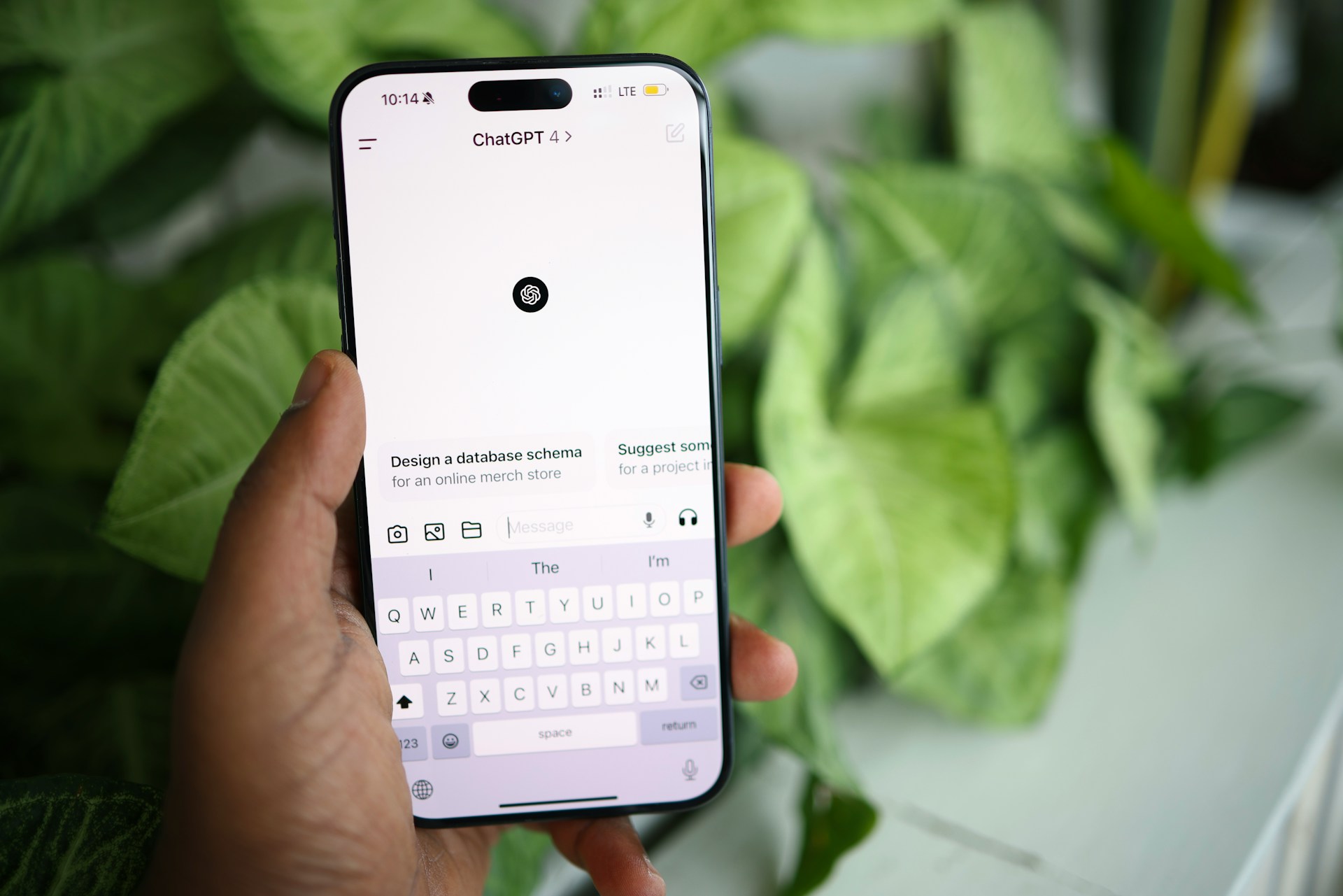
What is ChatGPT? It's a chatbot you can type questions or requests into, and it writes back personalised answers.
It's almost like texting a very well-read friend who never gets tired of your questions. It can help you write emails, plan trips, summarise documents, generate images, and a lot more, and you don't need any tech background to use it.
So, if you've heard people talking about ChatGPT but never quite understood what it does or why it's useful, this guide is for you.
We'll walk through what it actually is, the best ways to use it day-to-day, and where it falls short.
Key takeaways
ChatGPT is an AI-powered chatbot that writes and talks back to you, and it's genuinely useful for everyday tasks like summarising a long email or planning a trip. The trick is knowing what to ask it and when to double-check its responses. It's a helpful tool, but it's not a replacement for your own judgement.
What is ChatGPT?
Let's start with the basics.
AI, or artificial intelligence, is a computer program trained to identify patterns in huge amounts of information. It can then make predictions or generate new content based on what it's learned.
Instead of following a fixed set of instructions like a calculator does, it learns from examples, similar to how you'd get better at a language the more you read and heard it.
ChatGPT is one particular type of AI, developed by a company called OpenAI. It's a conversational AI, which just means it chats back and forth with you.
- You type something in.
- It replies.
- You can keep asking follow-up questions, correct it if it gets something wrong, or ask it to explain things differently.
Underneath, ChatGPT runs on a family of AI models made by OpenAI. These models are trained on enormous amounts of information, so they can recognise patterns and generate useful responses to what you ask. ChatGPT can also use tools such as web search and file analysis for some tasks.
Since ChatGPT launched in late 2022, it's become one of the best-known AI tools around. It helped kick off a wave of AI courses and similar tools, including:
5 time-saving ways to use ChatGPT
Wondering how to use ChatGPT? Here are five ways it can save you time.
1. Summarise emails and documents
Got a long email thread or report you don't have time to read start to finish? Paste it into ChatGPT and ask for a summary. It'll pull out the main points in a few sentences, so you know what's going on before you reply. This is one of the easiest ways to save time with ChatGPT.
2. Plan travel itineraries
Give ChatGPT your destination, dates, and interests. It'll put together a custom day-by-day plan just for you.
This could save you hours of research and help you get the most out of your holiday.
3. Optimise your resume
Paste in your resume and the job ad you're applying for. Then, ask ChatGPT to tell you what's missing or how to word things better. It's good at finding:
- Weak or vague phrasing that undersells your experience.
- Missing keywords from the job description.
- Repetitive sentence structures.
- Skills you've mentioned that aren't relevant to what the role's asking for.
4. Write meal and workout plans
Do you have health or fitness goals? Maybe you just want weekly meal planning to be a little easier.
ChatGPT can create personalised meal plans and workouts. Be sure to let it know:
- Dietary needs or ingredients you already have at home.
- How many people you are cooking for.
- How many days a week you want to train.
- Equipment you've got access to, like a gym or just your lounge room.
- Any past injuries or exercises you want to avoid.
5. Create a weekly budget
Tell ChatGPT your income and regular expenses, and ask it to lay out a weekly or monthly budget. It can group your spending into categories, flag where you might be overspending, and suggest a savings target.
Try these ChatGPT prompts
Here are some ChatGPT prompts to get you started with each use above.
| Use | Example Prompt |
|---|---|
| Summarise emails and documents | "Summarise this email thread in 3 bullet points. Separate any action items from general updates, and note who each action belongs to." |
| Plan travel itineraries | "Plan a 4-day Tokyo itinerary for 2 adults who like food and walking. Include opening hours and group activities by area to cut down travel time." |
| Optimise your resume | "Compare my resume against this job ad. List the keywords I'm missing, and then rewrite my 2 weakest bullet points so they include measurable results." |
| Write meal and workout plans | "Build me a 5-day dinner plan using seasonal vegetables, around 2000 calories a day. Include a shopping list grouped by supermarket aisle." |
| Create a weekly budget | "Using this income and these expenses, build a weekly budget with categories. Flag any category that's over 30% of my income and suggest any realistic cuts or savings opportunities.” |
Quick-fire bonus round of ChatGPT uses
Here are a few more quick wins you might like to try out:
- Improve your LinkedIn profile summary.
- Create story or blog outlines.
- Research and write about a topic using up-to-date web sources and ask it to cite where the information came from.
- Generate images, like logos or invitations.
- Analyse a research paper, report, or set of statistics.
- Draft a difficult text message you're not sure how to word.
- Run a complex math calculation.
- Explain a confusing bill or contract.
- Come up with gift ideas based on someone's interests.
- Practice for a job interview with mock questions.
- Plan a kids' party, from theme ideas to a shopping list.
- Turn messy notes into a proper to-do list.
- Write a polite way to decline an invitation.
The limitations of ChatGPT
As helpful as it is, ChatGPT isn't perfect, and it can't do everything.
First and perhaps most importantly, protect your privacy. Never share your passwords, medical details, home address, or anything sensitive. It's not a private diary, and there's no need to risk it.
Then, there's the issue of accuracy. No matter how confident it sounds, ChatGPT can get things wrong. When it makes up a fact, quote, or even source that doesn't exist, it's called a hallucination.
Always double-check anything factual like statistics, dates, or legal information with your own research.
Finally, if you decide to use ChatGPT to write emails, speeches, articles, reports, or any other professional or personal content, people may be able to tell.
ChatGPT has a specific way of writing. It's a little generic and robotic, and it repeats the same language patterns over and over again.
Sure, it's a great tool for a first draft or rough outline. It's a good way to expand on your ideas or experiment, as well. But if you publish ChatGPT's content without editing it or personalising it, you run the risk of people knowing that you didn't write it yourself.
FAQs
What is ChatGPT?
ChatGPT is a chatbot by OpenAI. You type in a question or request, and it writes back an answer. It's a lot like chatting to a person, even though it's an AI.
What are the best ways to use ChatGPT?
The best ChatGPT uses are straightforward tasks that take up your time, like summarising long emails or tidying up a resume. It's most useful when you give it clear, specific instructions.
What should you not use ChatGPT for?
Don't use it for anything involving your passwords, medical details, or personal information. Also, avoid relying on it for facts without double-checking.
Stay Up To Date With All Things Tech
Technology is always evolving. The team at Jim's IT stays on top of it all, so you don't have to. Check back on our Tech Tips Blog regularly, and if you need a hand with your computer, get in touch on 131 546 or Book Online.

Paul Zdzitowiecki is an IT specialist and contributor at Jim’s IT, with extensive experience in computer repairs, managed IT services, and business technology solutions across Australia. Paul regularly writes about computer repairs, Wifi and internet optimisation, cybersecurity, and business IT support, delivering practical, easy-to-understand advice that helps readers solve real-world tech problems.