

In today’s fast-paced digital world, a slow internet connection can be incredibly frustrating. Whether you’re working from home, streaming your favorite shows, or gaming online, knowing your internet speed is essential. At Jim’s IT, we’ve created an easy-to-use internet speed test tool to help you measure and optimize your connection for a seamless online experience.
In this blog post, we’ll guide you through the importance of running a speed test, how to use our tool, and what steps you can take to improve your WiFi speed.
What Is an Internet Speed Test and Why Is It Important?
An internet speed test is a quick way to measure your network’s performance by analyzing key metrics such as:
- Download Speed: The rate at which data is transferred to your device.
- Upload Speed: The speed at which data is sent from your device to the internet.
- Ping (Latency): The time it takes for data to travel between your device and the server.
Running a speed test internet regularly helps ensure you’re getting the service you pay for from your Internet Service Provider (ISP). It can also help diagnose issues like slow WiFi speed, buffering, or lag during online activities. Similarly, tools like a DPI Checker Tool can help measure hardware performance such as mouse sensitivity for more precise control in tasks like gaming or design.
How to Use the Jim’s IT Internet Speed Test Tool
Using our speed test tool is simple and convenient:
- Visit the Jim’s IT Internet Speed Test page.
- Click “Start Test” to begin measuring your internet speed.
- In seconds, you’ll see detailed results, including your download and upload speeds, as well as your latency.
Our tool works across all devices and is ideal for both home and business networks.
Tips to Improve Your Internet Speed
If your speed test internet results indicate a slower connection than expected, here are a few steps you can take to boost your WiFi speed and overall network performance:
- Check Your Router Placement:
Place your router in a central location, away from walls and electronic interference, for optimal signal strength. - Upgrade Your Equipment:
If your router is outdated, consider upgrading to a newer model that supports faster speeds and better range. - Secure Your Network:
Ensure your WiFi is password-protected to prevent unauthorized access, which can slow your connection. - Reduce Device Congestion:
Disconnect devices not in use to free up bandwidth for the devices that need it most. - Contact Your ISP:
If your internet speed test consistently shows lower speeds than promised, contact your provider for assistance. For businesses that rely on consistent performance, business mobile connectivity can also provide a flexible and reliable alternative, helping maintain productivity even when fixed networks underperform.
Why Choose Jim’s IT for Your Internet Needs?
At Jim’s IT, we’re committed to helping Australians stay connected. Our speed test internet tool is designed to deliver accurate results, enabling you to take control of your network’s performance. Beyond testing your connection, we offer expert IT support to help troubleshoot issues, upgrade your setup, or optimize your network.
Check if Electrical Faults Could Be the Cause
If your internet connection seems to drop out regularly or your Wi-Fi performance changes without any clear reason, it may be worth looking at other elements besides your router. Problems with the electrical supply in your home can sometimes affect the equipment that your network is relying on, especially if you’re already noticing flickering lights, tripped switches or other unusual electrical issues.
Start by checking that your modem and router are securely connected and their power cables are all in good condition. Avoid overloading any sockets with multiple adapters too as this can create problems for other connected equipment. If your internet devices repeatedly lose power or restart, an electrical fault could be causing the problem.
It is important not to attempt electrical repairs yourself. If you suspect an issue with your home’s wiring or power supply, contacting a qualified professional for electrical services can help identify whether there is an underlying fault. Once any electrical concerns have been ruled out, you can return to checking your router, Wi-Fi coverage and internet service for the source of the slower connection.
Run a Speed Test Today!
Don’t let a slow connection hold you back. Use the Jim’s IT WiFi speed test tool today to measure your network performance and ensure you’re getting the best possible internet experience.
Visit our Internet Speed Test page now and take the first step toward faster, smoother connectivity!
Stay tuned to the Jim’s IT blog for more tips and insights on optimizing your technology and staying ahead in the digital age.
Jim's IT Services in Australia
-
Hired Brad to diagnose an issue with a nephews laptop, and the service was great. His team were able to collect the pc, diagnose and repair the issues and return it in less than a handful of days, and at a reasonable price. Communication throughout was great, very satisfied.

Tyson S
02/03/2024Great help and fast service. Friendly staff. They were really quick to fix my IT problems the same day. Extremely impressive.
Duygu Bayboru
29/03/2023Absolutely fantastic service. Laith goes above and beyond to provide exceptional service and does an excellent job. I highly recommend him.
Irene Broussos
02/05/2022 -
Had major internet issues with our site from a different supplier. Tony was out there within 24 hours with a new modem and an internet connection that actually worked plus reconfigured all our PC’s. Couldn’t be happier.
ENGIN2
29/03/2023Leith was professional, and very accommodating. He got me the best price for what I needed as well as great advice. He will be my IT go to guy from here on in.
Hepa Taahi (Hepacan)
02/05/2022Brad had my broken screen on my laptop sorted in such a short amount of time. Quotation of job was provided promptly and communication throughout the process was second to none. Thanks Brad !
Eray Kurul
02/11/2023 -
Thanks for help You done a good job
Ahmed abaza
02/11/2023I recently had the pleasure of using a computer fix service, and I am thoroughly impressed. The technicians were knowledgeable, efficient, and professional, quickly diagnosing and resolving my computer issues. Their exceptional customer service and transparent pricing added to the positive experience. Thanks to their expertise, my computer is now running flawlessly. I highly recommend this service for anyone in need of reliable computer repairs.
phurichaya panyasombat (FUXIISACKQIIZD)
29/06/2023Polite team and reasonably priced
Felippe Canale
02/05/2023
For a free quote please follow the below steps

IT Challenges in Mergers and How to Conquer Them
By Tony Altun |
Revive Your Slow Computer Upgrade to an SSD
By Tony Altun |

Understanding Private Browsing Mode: Pros and Cons
By Tony Altun |

Do You Know Exactly What is Being Backed Up on Your Computer?
By Tony Altun |
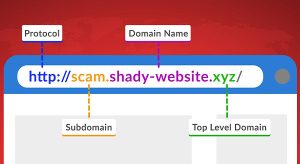
Hackers Hide in the Hyperlinks: Spotting Malicious URLs
By Tony Altun |

5 Simple Tricks to Make Your PC Boot up Faster
By Paul Zdzitowiecki |

Tony Altun is the General Manager of Jim's IT, where he leads a nationwide network of IT professionals delivering reliable tech support, computer repairs, and business IT solutions across Australia. With a strong background in IT services, sales, and customer-focused solutions, Tony has built a reputation for driving growth while maintaining a clear focus on service quality and customer satisfaction.