
Why Is My Computer So Slow? 7 Common Causes

Why is my computer so slow? The most common causes come down to a few things: an old hard drive, not enough RAM, or background processes that run without you knowing.
There are few things in life more frustrating than a slow computer. You just want to check your emails or write up a document, but instead, you’re sitting there watching a frozen screen or a spinning loading circle.
The good news is there’s almost always a specific, fixable reason behind it. Below, we’ll walk through the most common causes, so you can figure out exactly what’s slowing your computer down and what to do about it.
Common causes of a slow computer
Sick and tired of waiting for what feels like forever to achieve a simple task on the computer, like opening a new tab or launching Spotify?
We've put together a round-up of some of the most common causes. These problems affect Windows PCs, laptops, and Macs alike.
1. You’ve still got a mechanical hard drive, not an SSD
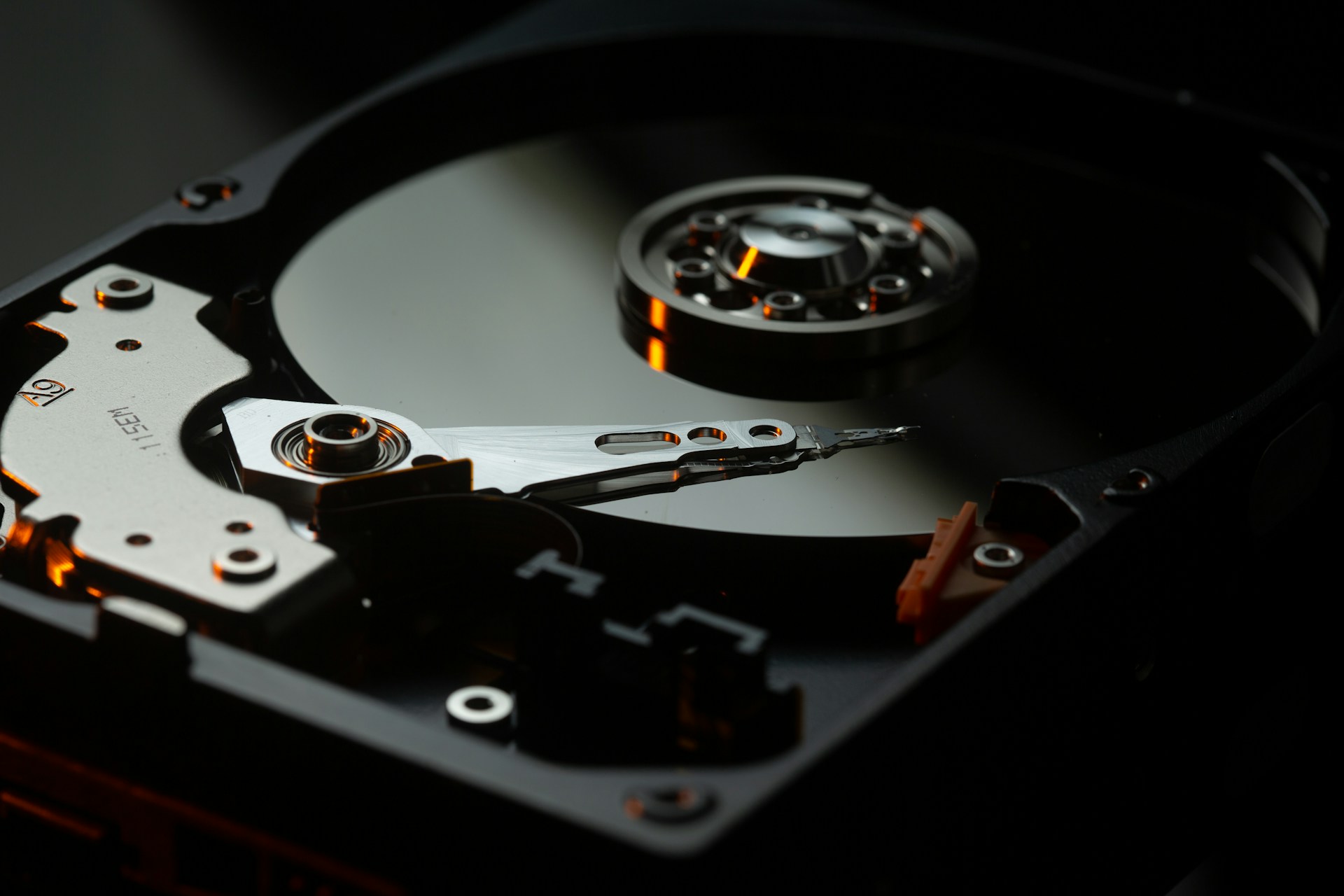
Older computers store data on a spinning disk called a hard disk drive (HDD). They work like a mini record player inside your machine. Every time you open a file, that disk has to physically spin around and find it. That takes time.
A solid-state drive (SSD) has no moving parts. It finds files almost instantly. Intel reports their SSD is eight times faster than older HDDs.
This is also a common reason people ask, "Why is my Mac slow?" Older iMacs and MacBooks often still use these old spinning drives. Upgrading to an SSD will make a huge difference in the speed of your machine.
2. Your drive is full, but not for the reason you think
You’d think a full drive just means less room for photos and files. But, there’s more to it than that.
Your computer also needs free space to create temporary files while it works and to run something called virtual memory (basically, extra “thinking space” when your RAM gets busy).
When your drive gets too full, above around 85-90%, your computer has nowhere left to do that thinking. So, it slows down, even if you technically have “enough” storage.
3. You don’t have enough RAM for how you use your computer
RAM is your computer’s short-term memory. The more programs and browser tabs you open, the more RAM you use up. Old computers came with RAM specs that were fine years ago, but everyday use has changed a lot since then.
Here are everyday tasks that use a whole lot of RAM:
- A browser with 15-plus tabs open.
- Video calls alongside email and documents.
- Cloud apps like Dropbox or OneDrive syncing in the background.
- Design or editing software running with big files loaded.
If your computer only has 4GB or 8GB of RAM, it might not be able to handle your workload. If RAM is the bottleneck, more can help your computer juggle your day-to-day tasks without grinding to a halt.
4. Heat build-up is throttling your processor
Your processor (the brain of your computer) slows itself down on purpose when it gets too hot. It’s a safety feature, so it doesn’t overheat and damage itself. The problem is, a hot, loud computer is a sluggish one.
Dust is sometimes the culprit. It clogs the vents and fans, so hot air can’t escape properly.
Try these quick fixes:
- Give your vents a clean with compressed air every few months. This is a must if you have pets.
- Avoid using your laptop on soft surfaces like beds or couches, which block airflow underneath.
5. A battery or charging problem is limiting performance
If someone asks, “Why is my laptop slow?”, a worn-out battery could be part of the answer. Batteries lose their capacity over time, the same way a phone battery does.
A worn battery mostly affects how long you can use your laptop before it needs a charge, not how fast it runs. That said, some laptops do slow down if they sense a problem with the battery, charger, or power supply.
If your laptop feels sluggish, check your battery health. Make sure the charger's the right one for your model and supplies the correct wattage.
6. Too many background programs are using your resources
Your computer does plenty of work you never see. This is a big reason a computer can seem slow “for no reason."
Here’s what could be running on your computer right now, even if you have nothing open but this browser window:
- Windows or macOS installing updates.
- Antivirus software scanning your files.
- Dropbox, Google Drive, or OneDrive syncing new files.
- Apps checking for their own updates after startup.
If your computer takes a while to feel usable after turning on, you might have a long list of startup apps. To find out what launches automatically, check:
- Task Manager or Settings on Windows
- System Settings and then Login Items on Mac
From there, you can turn off anything you don't need.
7. The hardware itself has simply aged out
Sometimes there’s no quick fix, because the whole computer’s just old. As a rough guide, if your PC, Mac or laptop is five to seven years old, an upgrade is likely your best move.
Past 10 years, the hardware inside can be so outdated that upgrading isn’t worth the cost anymore. A chat with the team at Jim’s IT can tell you which side of that line your machine sits on and whether an upgrade would make a difference.
Sometimes there’s no quick fix because the computer itself is getting old. As a rough guide, if your PC, Mac or laptop is five to seven years old, upgrading certain components may help extend its lifespan.
However, once a computer reaches 10 years or more, replacing outdated hardware may no longer be cost-effective. Before purchasing a new machine, it's worth exploring your repair options. Professional computer repair can help identify whether the problem can be resolved with a simple hardware upgrade, software fix or component replacement, potentially saving you the cost of buying a new computer.
How to diagnose and fix a slow computer
Not sure which cause applies to your computer? Use the table below as a quick reference guide.
| Symptom | Potential cause | What to do |
|---|---|---|
| Slow boot-up (60+ seconds) | Mechanical HDD | Check drive type in system settings |
| Fans loud, computer hot | Thermal throttling | Check vents for dust build-up |
| Fine at start, slows over hours | Background syncing/updates | Check Task Manager/Activity Monitor |
| Laptop only slow unplugged | Power-saving mode/settings | Check battery health and power settings |
FAQs
Why is my computer slow?
On older computers, a mechanical hard drive is one common cause. Low RAM, a dusty and overheating processor, or background updates running without you knowing can also affect your speed.
Why is my computer so slow even though I have a lot of storage?
Your computer needs free space to create temporary files and run virtual memory. If your drive is over 85-90% full, there’s nowhere left for that background work to happen, so it slows down.
How do I fix a slow computer?
How to fix a slow computer depends on the cause. An SSD swap fixes boot-up speed, more RAM fixes multitasking lag, and a clean-out fixes overheating. If your computer’s older, computer upgrades are usually the fastest way to sort out several of these problems at once.
Is it worth upgrading an old computer or buying a new one?
If your computer’s five-plus years old, an upgrade’s worth it. Past 10 years, the hardware inside can be so outdated that a new computer makes more sense.
Speed Up Your Computer With Jim’s IT
Most slow computer problems are easy to fix with a computer upgrade. The team at Jim’s IT can install a new SSD. We can add more RAM, so your computer handles all your tabs and programs without choking. And we can upgrade your operating system so you’re running the latest apps properly. Contact us online or give us a call on 131 546 today.

Paul Zdzitowiecki is an IT specialist and contributor at Jim’s IT, with extensive experience in computer repairs, managed IT services, and business technology solutions across Australia. Paul regularly writes about computer repairs, Wifi and internet optimisation, cybersecurity, and business IT support, delivering practical, easy-to-understand advice that helps readers solve real-world tech problems.