
How to build a cheap gaming PC in Australia
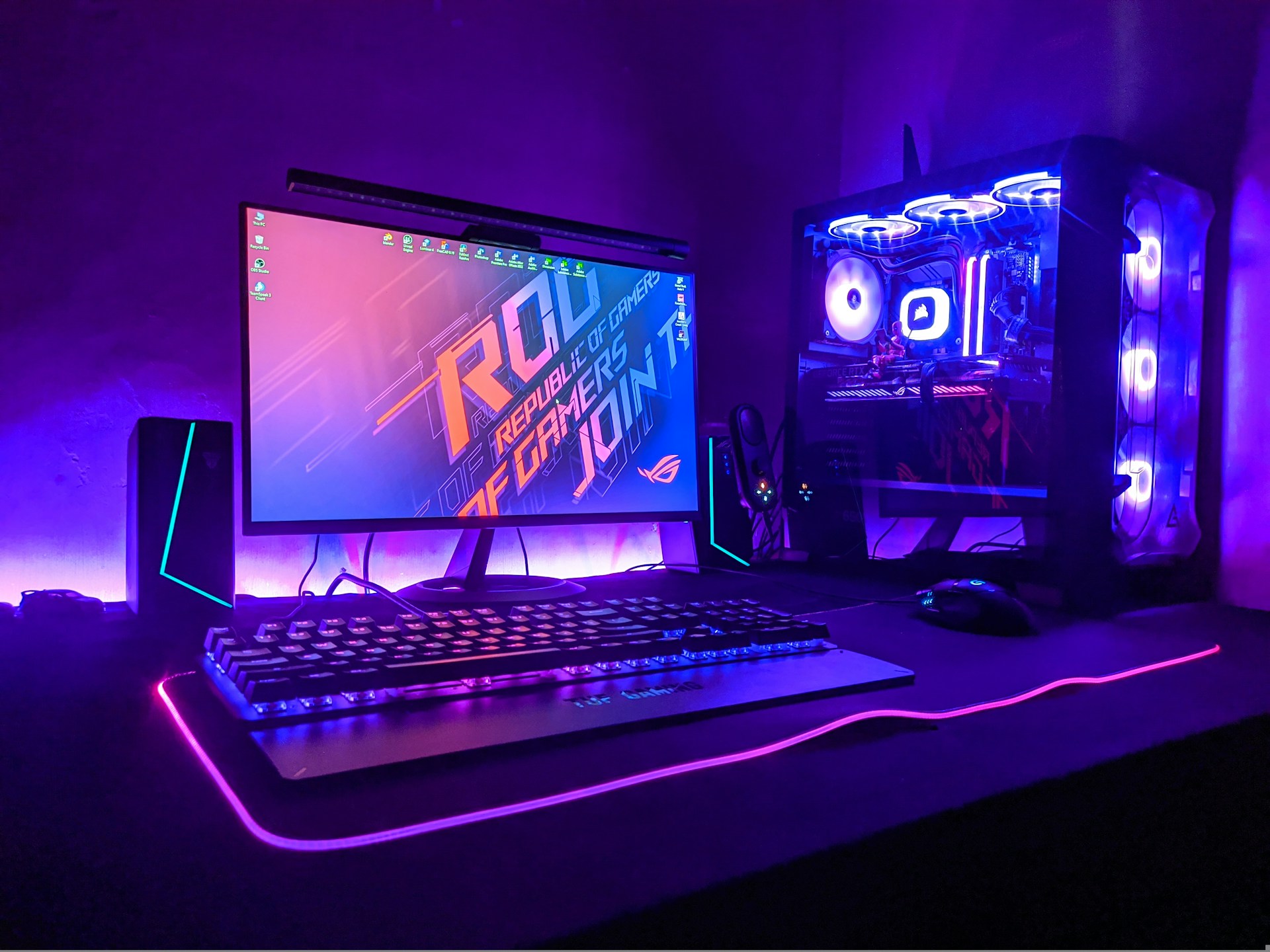
You can build a cheap gaming PC in Australia that handles most games well at 1080p. In 2026, a realistic lower-end budget for the parts is around $1,200 to $1,800. That's more than a year ago, because RAM prices have skyrocketed.
As a general rule of thumb, spend the most on the graphics card, choose parts that work together, and don't ever risk buying a cheap power supply.
Key takeaways
Your budget should reflect the types of games you play and the screen you play on. Put the biggest share of your money into the graphics card. Make sure that every part works with the others before you buy them. In 2026, RAM is the part most likely to blow your budget, so plan for it first.
What are the main parts of a gaming PC?
A gaming PC has eight main parts.
| Part | What it does | What to choose on a budget |
|---|---|---|
| Graphics card (GPU) | Draws the game on your screen | Spend the most here. Check how much video memory (VRAM) it has. |
| Processor (CPU) | Runs the game’s logic and everything else | A 6-core AMD Ryzen 5 or Intel Core i5 is enough for most games. |
| Motherboard | Connects all the parts | It must match the CPU’s socket and RAM type. A basic board is fine. |
| RAM (memory) | Holds what the PC is working on right now | 16GB is the minimum. Buy two sticks instead of one. |
| Storage (SSD) | Saves Windows and your games | An NVMe SSD, 1TB if you can. Here’s why an SSD makes such a difference. |
| Power supply (PSU) | Powers all the parts | A known brand, rated 80 Plus Bronze or better. |
| Case | Holds everything | Good airflow beats good looks. |
| CPU cooler | Stops the processor from overheating | Some budget CPUs come with one in the box. |
As well as the above, you'll need to buy the Windows operating system, and, if you don't already have them, peripherals like a monitor, keyboard, and mouse.
Windows 11 Home costs $249 if you buy it directly from Microsoft. You might be able to find it cheaper at other Australian stores.
How to set your budget
Your budget depends on the games you play and the screen you use. For a cheap PC, aim for 1080p. Most PC gamers still play at 1080p. In Valve's June 2026 Steam survey, 51% of players used a 1080p screen.
| Budget (parts only) | What you can expect | Best for |
|---|---|---|
| Under $1,200 | Lighter games like Fortnite, Minecraft and Valorant at 1080p | Kids and casual players |
| $1,200 to $1,800 | Most new games at 1080p on high settings | Most people |
| $1,800 to $2,800 | Smoother 1080p and good 1440p gaming | Keen gamers |
Under $1,200, a prebuilt PC on sale can be better value than new parts.
Why gaming PCs cost more in 2026
RAM prices started climbing in late 2025 because AI data centres are buying up memory chips. By July 2026, Australian RAM prices had roughly quadrupled. In mid-October 2026, the cheapest 32GB DDR5 kits cost around $560 to $650.
SSD prices have gone up, too. This hurts cheap PCs the most, because RAM now takes a bigger slice of a small budget.
How to choose the right parts for your needs
- Start with your games. Each game's Steam page lists its recommended requirements. Choose parts that meet them or, ideally, go a little above.
- Choose the graphics card first. Then match the other parts to it. A fast graphics card with a slow processor is a bit of a waste of money, because the slower part holds the faster one back.
- Check the video memory (VRAM). An 8GB card is fine for lighter games. Some newer games use more than 8GB on high settings, so a 16GB card gives you more room. In October 2026, the NVIDIA RTX 5060 (8GB) cost from about $543 in Australia, and the AMD RX 9060 XT (16GB) cost from about $729.
- Make sure the parts work together. The CPU must match the motherboard's socket. AMD AM4 boards only take DDR4 RAM, and AM5 boards only take DDR5. A free website called PCPartPicker is a good place to check compatibility.
- Check the power supply. Graphics card makers list a recommended power supply wattage on their websites. Go for a power supply at or above that number.
Ways to save money on a gaming PC
Safe ways to save include:
- Choose an older platform. AMD's AM4 platform uses DDR4 RAM, which has cost less than DDR5 during the shortage. The trade-off is that you can't upgrade to newer AMD processors later.
- Start with 16GB of RAM. Add more when prices drop.
- Skip RGB lighting and fancy cases. They don't make games run faster.
- Reuse what you have. An old monitor, keyboard, or mouse still works.
- Compare prebuilt PCs. Some on sale cost about the same as the parts alone, with Windows included.
Should you build it yourself or get it built?
You will save a bit of cash putting the PC together yourself. But, if something goes wrong, you're on your own.
Common problems include bent CPU pins, a forgotten power cable, and a PC that won't start with no sign of which part is faulty. You have rights to a repair, replacement, or refund under Australian Consumer Law, but the faulty part has to go back to the store you bought it from.
Getting it built by a technician costs more, but the PC arrives assembled, tested, and ready to use.
FAQs
How much does it cost to build a cheap gaming PC in Australia?
In 2026, a cheap gaming PC for 1080p gaming costs around $1,200 to $1,800 in parts. Add around $250 for Windows, plus a monitor if you need one.
Is it cheaper to build or buy a gaming PC in Australia?
Doing it yourself can be cheaper, but in 2026 the difference is smaller. Some prebuilt PCs on sale cost about the same as the parts. Compare both before you buy.
What's the most important part of a gaming PC?
The graphics card is the most important part of a gaming PC. It draws every frame of the game, so it has the biggest effect on how smoothly games run.
How much RAM do I need for gaming?
16GB is the minimum for gaming in 2026. It's also the most common amount among Steam users. 32GB is ideal if you want to play newer games
Build Your Dream Gaming PC With Jim’s IT
Looking to build an affordable gaming PC without compromising on performance? The team at Jim’s IT can help you choose compatible components and build a custom gaming computer that suits your budget and gaming needs. Our experienced technicians can help you get the best performance for your money. Contact us online or give us a call on 131 546 today.

Paul Zdzitowiecki is an IT specialist and contributor at Jim’s IT, with extensive experience in computer repairs, managed IT services, and business technology solutions across Australia. Paul regularly writes about computer repairs, Wifi and internet optimisation, cybersecurity, and business IT support, delivering practical, easy-to-understand advice that helps readers solve real-world tech problems.