
Computer Repairs Carramar
Welcome to Jim’s IT Carramar, your local IT specialist servicing Carramar and the surrounding areas.

My name is Tony, and I'm here to help you with all of your IT needs including computer repairs Carramar. You can reach me directly at 131 546.
"Experience top-notch customer service and expert technical support."
Computer Repairs Carramar
Having to deal with computer issues can be frustrating, but fear not — our team in Carramar is here to simplify it all for you. Offering a myriad of IT services, including computer repairs in Perth and Carramar, we aim to make your tech experience not just seamless but downright hassle-free.
Our adept computer technicians are well-versed in the intricacies of both laptops and desktops. Whether it's Apple, Microsoft, Lenovo or HP, we've got the expertise to tackle it all.
If it's a technical problem, we have you covered.
Worried about malware and viruses? Fear not — we're here to purge your computer of any digital bugs.
Reliable computer repairs Carramar:
- Laptop and desktop repairs
- Clean computer viruses and malware
- Safeguarding and recovering your valuable data
- Crafting and configuring robust networks
- Helping you set up cloud services and storage solutions
- Printers and Scanners setup
- Providing expert email setup and support
- Provide mobile device configuration and support
- Website Design and SEO for Businesses
- …and much more!
Whether you're nestled at home, seeking remote assistance or a business in need of IT services, Jim's IT in Carramar is your go-to for tech solutions. Our team of enthusiastic computer technicians is always ready to conquer any tech challenge you throw our way.
From the intricacies of data backup and recovery to the finesse of network setup and configuration, cloud services, storage solutions, email setup and mobile device support — we've got all your IT needs covered. Our relentless focus on delivering quality solutions is complemented by the deployment of our cutting-edge tools, techniques and technology for the most efficient services.
What sets us apart is our commitment to exceptional customer service. Our team in Carramar is ready to go the extra mile, ensuring your tech journey is smooth and gratifying.
If computer issues are knocking on your door or you need PC repairs in Carramar, reach out to us. Request a quote and experience the Jim's IT difference. We offer flexible appointment times tailored to your schedule, always providing a no-obligation, free quote before you book us for any work. Connect with us today — let Jim's IT be your trusted IT partner, delivering top-tier computer repairs and IT services with a friendly smile.
If it's a technical problem, we have you covered.
But hey, don't just take our word for it. Dive into the reviews from our satisfied customers on Google!

-
Great communication and quality of work. Loved Brad’s recommendations and communication throughout my experience with him.

Imran Aysel
02/11/2023Leith was professional, and very accommodating. He got me the best price for what I needed as well as great advice. He will be my IT go to guy from here on in.
Hepa Taahi (Hepacan)
02/05/2022He was amazing - really polite and nice to deal with. And delivered a fixed computer so fast at Christmas time! Stoked!
Tessa Hawthorn
02/05/2022 -
Polite team and reasonably priced
Felippe Canale
02/05/2023Laith went above and beyond to ensure my computer was fixed. This is the standard of service I would expect but rarely experience. Nothing was too much trouble for Laith even being prepared to do a delivery on Christmas Day. Highly recommend Laith - I have used another repair organisation in the past and had to demand my money be refunded - no problems now that I know about Laith
Michael Hyam
02/05/2022Had major internet issues with our site from a different supplier. Tony was out there within 24 hours with a new modem and an internet connection that actually worked plus reconfigured all our PC’s. Couldn’t be happier.
ENGIN2
29/03/2023 -
I had Brad do I remote job for me as I was worried about security on my computer Brad connected to my computer scanned my computer and found their all many issues you helped me install an antivirus program and remove all the issues that are on my computer I current recommend Brad hiley enough
Adam Wolarczuk
02/11/2023Big Thank you to the guys at Jim's I.T! I had booked in my Work Station Laptop for a repair due to my computer not reading my SSD, I was extremely worried as my data on there was priceless! Brad & Tony both called me back within 30 Minutes of putting a request through online, making me feel valued, they treated me as a Priority. They had my Computer back to a1 functionality within 2 days! I was expecting to lose most of my data as I had taken the laptop to a store in western suburbs Melbourne and they had told me the drive was corrupted and could not be recovered , I was then quoted $300 for a simple SSD replacement witch I could not justify! I contacted the guys at Jim's IT the following day and I am blown away by the service, They explained each step of the process making me feel like I was in the loop at all times! I have now recommended them to the rest of my company and we will be using them as our 1 stop shop for all computer and I.T related enquiries! 10 out of 10 service, Can not recommend them enough 🙂
Jem Karan
30/04/2024Absolutely fantastic service. Laith goes above and beyond to provide exceptional service and does an excellent job. I highly recommend him.
Irene Broussos
02/05/2022
For a free quote please follow the below steps
Thank you for considering Jim’s IT Carramar for your computer repairs and IT services needs.
Jim's Group - Need It Done? Jim's The One
Answer: Avoid using the drive to prevent further damage and consult a professional data recovery service as soon as possible.
Answer: Check the computer's physical condition, battery life, screen, keyboard, ports, and ensure it runs smoothly. Also, verify there are no software issues.
Answer: Signs include unusual account activity, new programs you didn't install, frequent crashes, and ransomware messages.

How to Improve Your WIFI with these 10 Easy Steps
Improve your WIFI with these 10 Easy Steps Stable and reliable internet is now so important, with many employees choosing to work from home, and parents and children relying on stable Wi-Fi to get their homework done on time. But when the internet or Wi-Fi plays up, the frustration can build up and it can […]
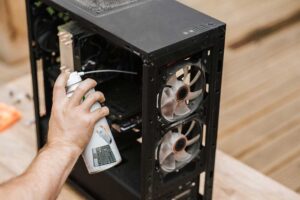
How To Clean Dust From A PC
How to Clean Dust from a PC As much as we might try to ignore it, dust is an inevitable part of life. It’s in the air we breathe, settles on our furniture, and often finds its way into our computers. While a bit of dust might not seem like a big deal, it can […]

Parental controls one year after Australia’s under-16 social media ban
Parental Controls One Year After Australia’s Under-16 Social Media Ban On 10 December 2025, the Australian Government brought in a law that stops under-16s from having accounts on social media platforms like TikTok and Instagram. The idea was to protect young Australians from the pressures and risks that come with having a social media account. […]
And Operated
All over the World
Divisions to choose from