
Computer Repairs Voyager Point
Welcome to Jim’s IT Voyager Point, your local IT specialist servicing Voyager Point and the surrounding areas.

My name is Tony, and I'm here to help you with all of your IT needs including computer repairs Voyager Point. You can reach me directly at 131 546.
"Customized solutions for every unique computer problem."
Computer Repairs Voyager Point
Having to deal with computer issues can be frustrating, but fear not — our team in Voyager Point is here to simplify it all for you. Offering a myriad of IT services, including computer repairs in Sydney and Voyager Point, we aim to make your tech experience not just seamless but downright hassle-free.
Our adept computer technicians are well-versed in the intricacies of both laptops and desktops. Whether it's Apple, Microsoft, Lenovo or HP, we've got the expertise to tackle it all.
Get professional computer repair services at competitive prices.
Worried about malware and viruses? Fear not — we're here to purge your computer of any digital bugs.
Reliable computer repairs Voyager Point:
- Laptop and desktop repairs
- Clean computer viruses and malware
- Safeguarding and recovering your valuable data
- Crafting and configuring robust networks
- Helping you set up cloud services and storage solutions
- Printers and Scanners setup
- Providing expert email setup and support
- Provide mobile device configuration and support
- Website Design and SEO for Businesses
- …and much more!
Whether you're nestled at home, seeking remote assistance or a business in need of IT services, Jim's IT in Voyager Point is your go-to for tech solutions. Our team of enthusiastic computer technicians is always ready to conquer any tech challenge you throw our way.
From the intricacies of data backup and recovery to the finesse of network setup and configuration, cloud services, storage solutions, email setup and mobile device support — we've got all your IT needs covered. Our relentless focus on delivering quality solutions is complemented by the deployment of our cutting-edge tools, techniques and technology for the most efficient services.
What sets us apart is our commitment to exceptional customer service. Our team in Voyager Point is ready to go the extra mile, ensuring your tech journey is smooth and gratifying.
If computer issues are knocking on your door or you need PC repairs in Voyager Point, reach out to us. Request a quote and experience the Jim's IT difference. We offer flexible appointment times tailored to your schedule, always providing a no-obligation, free quote before you book us for any work. Connect with us today — let Jim's IT be your trusted IT partner, delivering top-tier computer repairs and IT services with a friendly smile.
Why trust your computer repairs to anyone but the experts?
But hey, don't just take our word for it. Dive into the reviews from our satisfied customers on Google!

-
Our journey with Jim's IT for our business fit out was nothing short of exceptional. From the very start, their team demonstrated a profound understanding of our needs, crafting a tailored solution that perfectly aligned with our brand identity and operational requirements. Their attention to detail, coupled with open communication throughout the project, ensured a stress-free experience. What truly set Jim's IT apart was their commitment to excellence in craftsmanship. Every aspect of our office redesign, from the sleek workstations to the integration of state-of-the-art technology, was executed with precision and care. The result? A workspace that not only looks impressive but also fosters productivity and collaboration among our team. Without hesitation, I would highly recommend Jim's IT to any business seeking a partner who delivers on both expertise and creativity.

Eray Kurul
01/05/2024Nailed the overheating problem my custom built rig had, at a reasonable price, quick and efficient. Got some customisations added in along the way (dual boot, better gfx, etc) and all works perfectly.
Mark Reid
04/02/2024Laith was super helpful and responsive, im super happy with their advice and support.
Anika Squire
02/05/2022 -
Tony was very helpful with our recent IT issues. Would definitely recommend to friends and family.
Sercan Bayboru
29/03/2023I recently had the pleasure of using a computer fix service, and I am thoroughly impressed. The technicians were knowledgeable, efficient, and professional, quickly diagnosing and resolving my computer issues. Their exceptional customer service and transparent pricing added to the positive experience. Thanks to their expertise, my computer is now running flawlessly. I highly recommend this service for anyone in need of reliable computer repairs.
phurichaya panyasombat (FUXIISACKQIIZD)
29/06/2023Absolutely fantastic service. Laith goes above and beyond to provide exceptional service and does an excellent job. I highly recommend him.
Irene Broussos
02/05/2022 -
I came to Jim's IT recently looking for a custom PC build, and laptop repair for my wife. The service was impeccable, they went out of their way to assist with my queries and concerns - the only IT company I've engaged with who actually took the time to explain how custom PC builds work, and I've left with a lot of valuable knowledge! For the laptop repair, I was previously quoted $500 to fix the overheating issue; At Jim's, I received this fix for FREE as it was simply just a dusty fan, and not actual issues with the internal components!
Andrew Lawson
02/05/2024He was amazing - really polite and nice to deal with. And delivered a fixed computer so fast at Christmas time! Stoked!
Tessa Hawthorn
02/05/2022I had a problem that my old computer consultant could not fix. Tony from Jim's IT had my computer going in 10 minutes. Great expertise and service!!
Gottfried Lichti
29/09/2023
For a free quote please follow the below steps
Thank you for considering Jim’s IT Voyager Point for your computer repairs and IT services needs.
Jim's Group - Need It Done? Jim's The One
Answer: Most laptops have integrated graphics cards that cannot be upgraded. However, some high-end gaming laptops do allow for graphics upgrades.
Answer: Ensure your graphics card supports dual monitors, connect the monitors using appropriate cables, and adjust display settings in your operating system.
Answer: A slow computer can be caused by a variety of factors including too many running programs, insufficient RAM, a full hard drive, or malware infections. Upgrading hardware or cleaning up software can often resolve these issues.
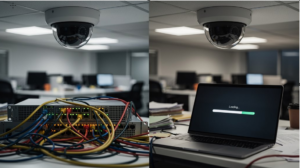
What Security Cameras Do to Your Office Network Bandwidth
What Security Cameras Do to Your Office Network Bandwidth Security cameras can significantly impact your office network bandwidth, often without your knowledge. A single 1080p camera can consume 2-4 Mbps, and with multiple cameras, your network can quickly become overloaded. For instance, four 4K cameras may use up to 64 Mbps. This can disrupt essential […]

10 Easy Computer Maintenance Tips Everyone Should Know
Everybody’s aware of the importance of car upkeep — if you maintain your car, it will perform well. But even if the same principle applies to PCs, we don’t give PC maintenance that much thought. In fact, many people don’t think about it at all until they’re faced with a blue screen or an unbearably […]
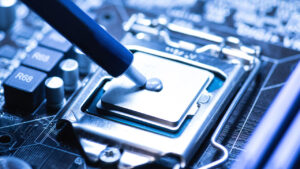
How To Know If Your CPU is Overheating & How To Fix/Prevent It
Do you ever notice your computer running slower than usual or shutting down unexpectedly? If so, you may be experiencing an overheating CPU, which can be a major headache for any computer user. But what exactly is CPU overheating, and why is it such a common issue? Computer overheating occurs when the Central Processing Unit, […]
And Operated
All over the World
Divisions to choose from