
Computer Repairs Kareela
Welcome to Jim’s IT Kareela, your local IT specialist servicing Kareela and the surrounding areas.

My name is Tony, and I'm here to help you with all of your IT needs including computer repairs Kareela. You can reach me directly at 131 546.
"Dedicated to resolving your computer problems swiftly."
Computer Repairs Kareela
Having to deal with computer issues can be frustrating, but fear not — our team in Kareela is here to simplify it all for you. Offering a myriad of IT services, including computer repairs in Sydney and Kareela, we aim to make your tech experience not just seamless but downright hassle-free.
Our adept computer technicians are well-versed in the intricacies of both laptops and desktops. Whether it's Apple, Microsoft, Lenovo or HP, we've got the expertise to tackle it all.
Let professionals take care of your computer repair needs.
Worried about malware and viruses? Fear not — we're here to purge your computer of any digital bugs.
Reliable computer repairs Kareela:
- Laptop and desktop repairs
- Clean computer viruses and malware
- Safeguarding and recovering your valuable data
- Crafting and configuring robust networks
- Helping you set up cloud services and storage solutions
- Printers and Scanners setup
- Providing expert email setup and support
- Provide mobile device configuration and support
- Website Design and SEO for Businesses
- …and much more!
Whether you're nestled at home, seeking remote assistance or a business in need of IT services, Jim's IT in Kareela is your go-to for tech solutions. Our team of enthusiastic computer technicians is always ready to conquer any tech challenge you throw our way.
From the intricacies of data backup and recovery to the finesse of network setup and configuration, cloud services, storage solutions, email setup and mobile device support — we've got all your IT needs covered. Our relentless focus on delivering quality solutions is complemented by the deployment of our cutting-edge tools, techniques and technology for the most efficient services.
What sets us apart is our commitment to exceptional customer service. Our team in Kareela is ready to go the extra mile, ensuring your tech journey is smooth and gratifying.
If computer issues are knocking on your door or you need PC repairs in Kareela, reach out to us. Request a quote and experience the Jim's IT difference. We offer flexible appointment times tailored to your schedule, always providing a no-obligation, free quote before you book us for any work. Connect with us today — let Jim's IT be your trusted IT partner, delivering top-tier computer repairs and IT services with a friendly smile.
Precision and care in every repair job we undertake.
But hey, don't just take our word for it. Dive into the reviews from our satisfied customers on Google!

-
Brad and his team are fantastic. Especially Brad, such great service and his knowledge in IT related solutions is top notch. I highly recommend Brad and his team for all IT support and work. Many thanks.

Frank Theoman
02/11/2023Brad was so quick in response and fixed my Laptop in the same day. I highly recommend Brad for any computer related issues.
Robert Allwin
02/12/2023Thanks for help You done a good job
Ahmed abaza
02/11/2023 -
Nishit at Darwin Jim’s IT was really great. Not only did he and another gent returned my call within half an hour, they were both at my door within 30 minutes to help with my computer issue. They were thorough and really helpful with awesome customer service after their visit. Would highly recommend. Thank you so much.
Karla Caldicott
02/05/2023Had major internet issues with our site from a different supplier. Tony was out there within 24 hours with a new modem and an internet connection that actually worked plus reconfigured all our PC’s. Couldn’t be happier.
ENGIN2
29/03/2023Leith was professional, and very accommodating. He got me the best price for what I needed as well as great advice. He will be my IT go to guy from here on in.
Hepa Taahi (Hepacan)
02/05/2022 -
Polite team and reasonably priced
Felippe Canale
02/05/2023Saved Me!
riyan adesai
02/05/2022Julian Rallings Was very helpful highly recommended him
Michelle Warner
02/09/2023
For a free quote please follow the below steps
Thank you for considering Jim’s IT Kareela for your computer repairs and IT services needs.
Jim's Group - Need It Done? Jim's The One
Answer: Avoid using the drive to prevent further damage and consult a professional data recovery service as soon as possible.
Answer: Regularly delete unused files, uninstall unnecessary programs, run virus scans, and perform disk cleanups and defragmentation.
Answer: Typically, computers need to be replaced every 3-5 years depending on usage, advancements in technology, and performance needs.

7 AI Courses Focused on Real-World Applications in 2026
7 AI Courses Focused on Real-World Applications in 2026 AI is quickly leaving its experimental phase and entering mainstream business activities, leading many professionals to explore AI training sites and structured AI courses that focus on real-world implementation. The majority of organizations apply AI to one of their business practices. AI training, however, has not […]
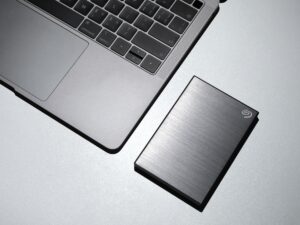
How often should a small business back up its data?
How often should a small business back up its data? How often a small business should backup its data depends on the type of information. Some types will need multiple data backups a day. Others can be backed up every month or whenever changes are made. Not every file in your business updates at the […]

The Big Benefits of a Small IT Partner
When managing your business’s IT needs, choosing the right managed service provider (MSP) can make all the difference. While large, national MSPs might have the resources and reach, there’s something to be said for the personalized, hands-on service you can expect from a smaller MSP. Let’s dive into why partnering with a smaller MSP could […]
And Operated
All over the World
Divisions to choose from