
5 Ways to Speed Up Your Video Production Workflow

The demand for video content has never been higher. Brands need it for advertising. Creators need it for audience growth. Educators need it for engagement. Yet the production process remains one of the biggest bottlenecks in content strategy. Filming, editing, rendering, and formatting can turn a single video into a multi-hour project — and when you need to produce content at scale, that timeline simply does not hold up.
The good news is that the production landscape has changed dramatically. New tools, smarter workflows, and AI-driven automation have made it possible to cut production time without cutting quality. Here are five of the most effective ways to accelerate your video output.
1. Start with Templates Instead of a Blank Timeline
One of the fastest ways to slow yourself down is to start every project from scratch. Opening a blank timeline and making decisions about every transition, text placement, and color grade adds hours of work that could be avoided entirely.
Templates exist for nearly every video format imaginable — social media ads, explainer videos, event recaps, product launches, and even campaigns created by providers of Brisbane videography and production services. The key is choosing templates that align closely with your brand aesthetic and then customizing them with your own footage, copy, and branding elements. This is not about producing cookie-cutter content. It is about eliminating repetitive structural decisions so you can focus your energy on the message itself.
Most professional creators maintain a personal library of go-to templates that they refine over time. This single habit can reduce average production time by thirty to fifty percent.
2. Use AI to Convert Existing Assets into Video
Many creators and marketing teams already have extensive libraries of photography, product images, and graphic assets. The challenge has always been that turning those static assets into video required manual editing work. That equation has changed.
The challenge has always been that turning those static assets into video required manual editing work. That equation has changed. Higgsfield, an AI creative suite, brings this to life with a standout AI Video Generator that takes a single product photo and turns it into a fully animated clip, complete with motion and camera movement, no manual keyframing required. Invideo Agent further enhances these workflows with cinematic motion control, helping creators produce more dynamic visual co
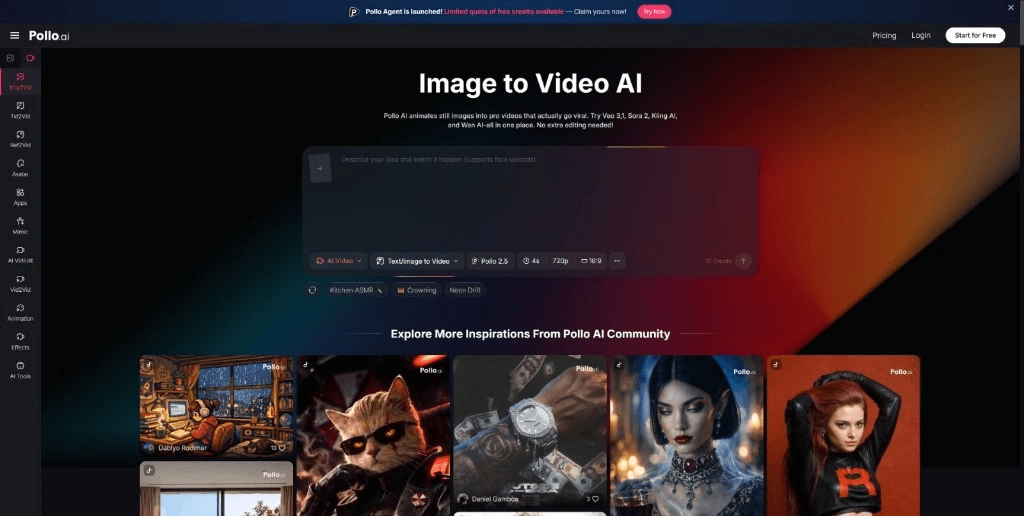
Modern AI-powered platforms now allow users to upload a single image and generate a fully animated video to GIF converter experience automatically. An image to video tool can analyze the visual content of a photo and apply intelligent motion, camera effects, and stylistic enhancements — all without any manual editing input. What previously required a motion graphics specialist and several hours of work can now be accomplished in minutes.
This approach is especially valuable for e-commerce brands that need to convert product photography into dynamic ads, or for social media managers who must maintain a high-volume posting schedule across multiple channels. With professional Clipping Path Services, existing product assets can be precisely edited and optimized, while AI simply unlocks their potential in a new format. The underlying assets already exist; the AI simply unlocks their potential in a new format.
3. Batch Process and Repurpose Content Across Platforms
Creating unique content for every platform is a luxury most teams cannot afford. The more practical approach is to produce one strong piece of content and enhance product pages with Amazon A+ Content Services, then systematically adapt it for different channels.
A single long-form video can yield multiple short clips for Instagram Reels, TikTok, and YouTube Shorts. A webinar recording can be sliced into educational snippets. A product demo can be reformatted into both a vertical story ad and a horizontal website embed. The key is planning for repurposing from the beginning rather than treating it as an afterthought.
Tools that support automatic aspect ratio adjustment, subtitle generation, and format-specific export make this process significantly faster. When repurposing is built into your workflow from day one—often tracked and coordinated through modern AI project management tools—a single production session can feed your content calendar for an entire week.
4. Leverage Familiar Editing Tools for Quick Cuts
Not every video needs deep post-production. For day-to-day content — behind-the-scenes clips, quick updates, reaction videos — lightweight editing tools are often more appropriate than full-scale professional suites.
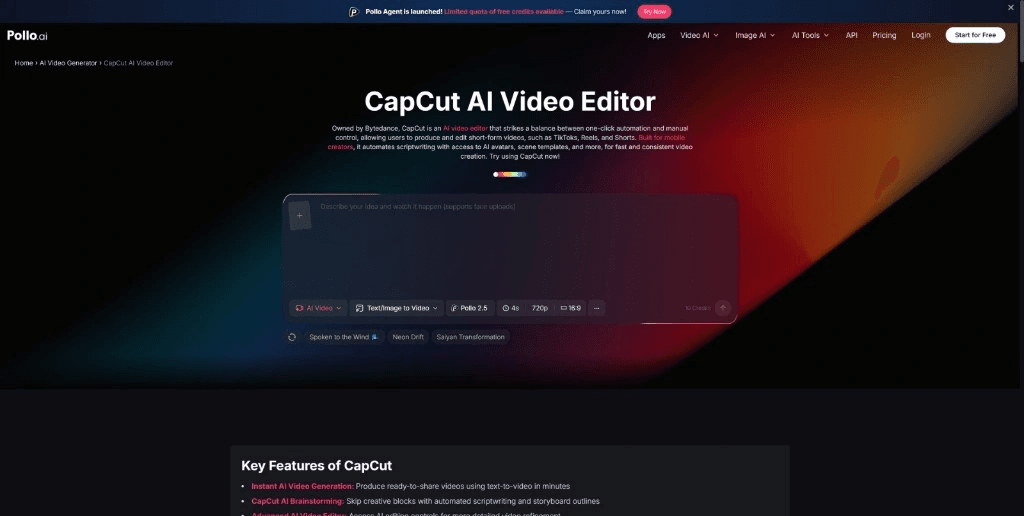
Platforms like Pollo.ai CapCut have gained massive adoption precisely because they lower the barrier to fast, competent editing. Features like auto-captions, one-tap effects, and intuitive timeline controls allow creators to go from raw footage to finished product in a fraction of the time traditional software requires. The tradeoff between speed and polish is real, but for most social content, speed wins. Audiences on platforms like TikTok and Instagram often respond better to authentic, quickly produced content, while Photo Retouching Services can provide subtle enhancements that improve image quality without making the content look overly polished.
The strategic move is knowing when a project calls for a full editing suite and when a streamlined tool will deliver the same result in a quarter of the time.
5. Automate Specialized Video Formats
Certain video types follow predictable structural patterns — trailers, highlight reels, testimonial compilations, and promotional teasers all rely on established conventions of pacing, music, and visual rhythm. These formats are ideal candidates for automation.
Rather than manually assembling a trailer shot by shot, creators can now use specialized tools to build cinematic trailers by simply providing source material and letting the platform handle structure, pacing, and effects.
AI VFX can add cinematic elements like explosions, weather sequences, or dramatic transitions directly to existing footage without a dedicated VFX team.The same principle applies to birthday compilations, event recaps, and branded intros. When the format is well-defined, automating the assembly frees up creative energy for projects that genuinely require a human touch.
This does not mean handing over creative control entirely. It means recognizing which parts of the production process benefit from human judgment and which parts are mechanical enough to delegate.
Putting It All Together
No single method on this list will transform your workflow overnight. The real power comes from combining them strategically. Use templates to eliminate structural decisions. Let AI handle asset conversion. Plan for repurposing from the start. Choose the right editing tool for the scope of each project. And automate the formats that follow predictable patterns.
The creators and teams that produce the most consistent, high-quality video content are rarely the ones with the biggest budgets or the most advanced technical skills. They are the ones who have built efficient systems — systems that let them spend less time on production mechanics and more time on the ideas that actually connect with their audience. In a landscape where content volume and consistency are decisive advantages, workflow efficiency is not just a nice-to-have. It is a competitive necessity.
Book Your IT Setup Today
Set your business up for success with our professional IT setup and workstation installation services. We design and configure fast, reliable, and secure systems tailored to your needs — so your team can work efficiently from day one. Call us today on 131 546 or fill out the form on this page and we’ll get back to you ASAP.

This content was produced by the Jim’s IT team, specialists in computer repairs, IT support, and technology solutions for homes and businesses across Australia. With years of hands-on experience solving real customer issues, our team shares practical insights, expert tips, and proven strategies to help you stay connected, secure, and running efficiently.