
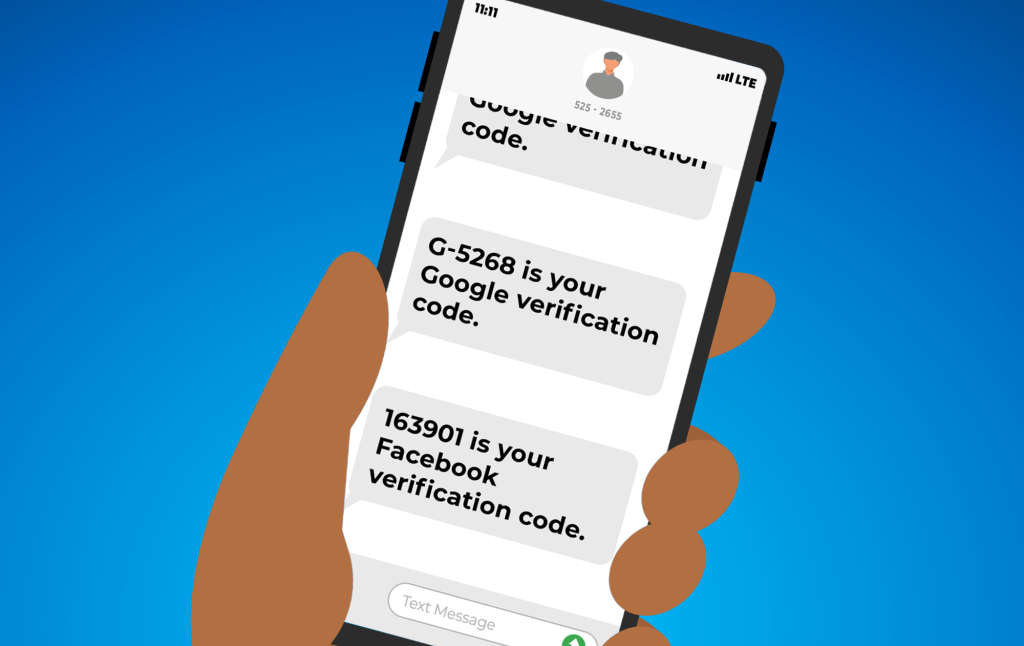
We've all had those moments of confusion when our phone buzzes with a notification that doesn't seem quite right. If you've ever woken up to a text with some random numbers and wondered what it is, you're not alone.
Getting a code for two-factor authentication (2FA) from a service you use when you didn't request one deserves some attention. Rather than ignoring the strange message, it's a good idea to take action to help protect your online accounts.
Understanding 2FA
2FA, or "Two-Factor Authentication," is an important security feature many apps and websites use. It adds an extra verification step beyond just a password. After you log in, 2FA will text or email you a special code to enter before you're given access to your account. This acts like a second lock, keeping hackers out even if they somehow steal your password.
Spot the Warning Signs
When you receive a 2FA code you didn't request, it's a clear sign that someone is trying to access one of your online accounts. It often indicates that your password has been compromised through a large-scale data breach or a more targeted attack. Hackers may be attempting to log in using your stolen credentials, and the 2FA code is the only thing standing in their way.
Taking Immediate Action
Rather than ignoring the 2FA code or brushing it off, it's important to take action right away to secure your accounts.
- Do not click on any links in the email or SMS. Open a browser, log in to the relevant account, and change your password to something unique and complex. Make sure it's different from the one you used before and not used for other accounts.
- Check if your old password was involved in any known breaches using a tool such as HaveIBeenPwned.com. This can help you identify if you have any other accounts that may be at risk.
- Consider changing passwords for any other accounts using the same or similar passwords in case of credential stuffing attacks. This is when hackers use stolen passwords from one breach to try and access other accounts.
- Be wary of emails or texts asking you to provide a 2FA code. Legitimate services will never ask for this, and it's likely a phishing attempt.
This unexpected 2FA code experience is a valuable reminder of the importance of proactive security measures. Two-factor authentication is what saved you this time by blocking the hacker's attempt to access your account, so take a moment to ensure you've enabled it on every site that offers it.
Additionally, using unique, strong passwords for each account is essential to prevent the ripple effects of a single data breach. A password manager can help you generate and store complex credentials, ensuring one compromised password doesn't put all your other accounts at risk.
While complete online security can never be guaranteed, taking these fundamental steps - enabling 2FA and using unique passwords - goes a long way toward safeguarding your personal information and digital identity.
Jim's IT Services in Australia
-
Brad was fantastic! Quick to respond, and to resolve my issue. I would highly recommend him to anyone! Thanks again!

Riccardo D'Alberto
02/09/2023Had major internet issues with our site from a different supplier. Tony was out there within 24 hours with a new modem and an internet connection that actually worked plus reconfigured all our PC’s. Couldn’t be happier.
ENGIN2
29/03/2023I had Brad do I remote job for me as I was worried about security on my computer Brad connected to my computer scanned my computer and found their all many issues you helped me install an antivirus program and remove all the issues that are on my computer I current recommend Brad hiley enough
Adam Wolarczuk
02/11/2023 -
Tony was very helpful with our recent IT issues. Would definitely recommend to friends and family.
Sercan Bayboru
29/03/2023I recently had the pleasure of using a computer fix service, and I am thoroughly impressed. The technicians were knowledgeable, efficient, and professional, quickly diagnosing and resolving my computer issues. Their exceptional customer service and transparent pricing added to the positive experience. Thanks to their expertise, my computer is now running flawlessly. I highly recommend this service for anyone in need of reliable computer repairs.
phurichaya panyasombat (FUXIISACKQIIZD)
29/06/2023This is about the third time I have asked Peter for help - first with my desktop, and now with my laptop. Apart from being a really kind person, his service is friendly quick, to the point, and really affordable. Couldn't ask for better! Gitte
Gitte Lindgaard
04/01/2024 -
Thanks to Jim's IT for the computer repairs and laptop repairs for my business. They were able to repair my HP and Lenovo desktops which needed to be upgraded. Also our Asus and Dell laptops hard drives / ssd drives and RAM was also upgraded. Great value and prompt service.
Tolga Altun
11/04/2024Our journey with Jim's IT for our business fit out was nothing short of exceptional. From the very start, their team demonstrated a profound understanding of our needs, crafting a tailored solution that perfectly aligned with our brand identity and operational requirements. Their attention to detail, coupled with open communication throughout the project, ensured a stress-free experience. What truly set Jim's IT apart was their commitment to excellence in craftsmanship. Every aspect of our office redesign, from the sleek workstations to the integration of state-of-the-art technology, was executed with precision and care. The result? A workspace that not only looks impressive but also fosters productivity and collaboration among our team. Without hesitation, I would highly recommend Jim's IT to any business seeking a partner who delivers on both expertise and creativity.
Eray Kurul
01/05/2024Laith was super helpful and responsive, im super happy with their advice and support.
Anika Squire
02/05/2022
For a free quote please follow the below steps

Should I Upgrade My Old PC? Or Buy a New One?
By Tony Altun |

Essential Books Every Developer Should Read for Understanding Modern Cloud Architecture
By Jim's IT |

Never Email These Sensitive Details
By Tony Altun |

How To Test Your Internet Speeds
By Tony Altun |

Laptop Won’t Turn On? Here’s How to Fix It (And How to Tell What’s Actually Wrong)
By Adrian |
5 Simple Tricks to Make Your PC Boot up Faster
By Paul Zdzitowiecki |

Tony Altun is the General Manager of Jim's IT, where he leads a nationwide network of IT professionals delivering reliable tech support, computer repairs, and business IT solutions across Australia. With a strong background in IT services, sales, and customer-focused solutions, Tony has built a reputation for driving growth while maintaining a clear focus on service quality and customer satisfaction.