
Computer Repairs Henley Brook
Welcome to Jim’s IT Henley Brook, your local IT specialist servicing Henley Brook and the surrounding areas.

My name is Tony, and I'm here to help you with all of your IT needs including computer repairs Henley Brook. You can reach me directly at 131 546.
"Exceptional computer repair services tailored to meet your needs."
Computer Repairs Henley Brook
Having to deal with computer issues can be frustrating, but fear not — our team in Henley Brook is here to simplify it all for you. Offering a myriad of IT services, including computer repairs in Perth and Henley Brook, we aim to make your tech experience not just seamless but downright hassle-free.
Our adept computer technicians are well-versed in the intricacies of both laptops and desktops. Whether it's Apple, Microsoft, Lenovo or HP, we've got the expertise to tackle it all.
Exceptional computer repair services at your convenience.
Worried about malware and viruses? Fear not — we're here to purge your computer of any digital bugs.
Reliable computer repairs Henley Brook:
- Laptop and desktop repairs
- Clean computer viruses and malware
- Safeguarding and recovering your valuable data
- Crafting and configuring robust networks
- Helping you set up cloud services and storage solutions
- Printers and Scanners setup
- Providing expert email setup and support
- Provide mobile device configuration and support
- Website Design and SEO for Businesses
- …and much more!
Whether you're nestled at home, seeking remote assistance or a business in need of IT services, Jim's IT in Henley Brook is your go-to for tech solutions. Our team of enthusiastic computer technicians is always ready to conquer any tech challenge you throw our way.
From the intricacies of data backup and recovery to the finesse of network setup and configuration, cloud services, storage solutions, email setup and mobile device support — we've got all your IT needs covered. Our relentless focus on delivering quality solutions is complemented by the deployment of our cutting-edge tools, techniques and technology for the most efficient services.
What sets us apart is our commitment to exceptional customer service. Our team in Henley Brook is ready to go the extra mile, ensuring your tech journey is smooth and gratifying.
If computer issues are knocking on your door or you need PC repairs in Henley Brook, reach out to us. Request a quote and experience the Jim's IT difference. We offer flexible appointment times tailored to your schedule, always providing a no-obligation, free quote before you book us for any work. Connect with us today — let Jim's IT be your trusted IT partner, delivering top-tier computer repairs and IT services with a friendly smile.
Why trust your computer repairs to anyone but the experts?
But hey, don't just take our word for it. Dive into the reviews from our satisfied customers on Google!

-
Dealing with Brad was easy and smooth sailing. Told him what I need and he made it happen.

Fatih
29/04/2024Excellent and friendly service. I found Laith patient, knowledgeable, helpful and professional. Very good, efficient service from start to finish.
Grace
02/05/2022Hired Brad to diagnose an issue with a nephews laptop, and the service was great. His team were able to collect the pc, diagnose and repair the issues and return it in less than a handful of days, and at a reasonable price. Communication throughout was great, very satisfied.
Tyson S
02/03/2024 -
Leith was professional, and very accommodating. He got me the best price for what I needed as well as great advice. He will be my IT go to guy from here on in.
Hepa Taahi (Hepacan)
02/05/2022Big Thank you to the guys at Jim's I.T! I had booked in my Work Station Laptop for a repair due to my computer not reading my SSD, I was extremely worried as my data on there was priceless! Brad & Tony both called me back within 30 Minutes of putting a request through online, making me feel valued, they treated me as a Priority. They had my Computer back to a1 functionality within 2 days! I was expecting to lose most of my data as I had taken the laptop to a store in western suburbs Melbourne and they had told me the drive was corrupted and could not be recovered , I was then quoted $300 for a simple SSD replacement witch I could not justify! I contacted the guys at Jim's IT the following day and I am blown away by the service, They explained each step of the process making me feel like I was in the loop at all times! I have now recommended them to the rest of my company and we will be using them as our 1 stop shop for all computer and I.T related enquiries! 10 out of 10 service, Can not recommend them enough 🙂
Jem Karan
30/04/2024Great help and fast service. Friendly staff. They were really quick to fix my IT problems the same day. Extremely impressive.
Duygu Bayboru
29/03/2023 -
Brad was so quick in response and fixed my Laptop in the same day. I highly recommend Brad for any computer related issues.
Robert Allwin
02/12/2023Nailed the overheating problem my custom built rig had, at a reasonable price, quick and efficient. Got some customisations added in along the way (dual boot, better gfx, etc) and all works perfectly.
Mark Reid
04/02/2024I had a problem that my old computer consultant could not fix. Tony from Jim's IT had my computer going in 10 minutes. Great expertise and service!!
Gottfried Lichti
29/09/2023
For a free quote please follow the below steps
Thank you for considering Jim’s IT Henley Brook for your computer repairs and IT services needs.
Jim's Group - Need It Done? Jim's The One
Answer: To extend battery life, avoid leaving your laptop plugged in all the time, don't let the battery fully drain often, and keep the laptop cool.
Answer: It depends on your needs; popular options include Norton, McAfee, Kaspersky, and Bitdefender. Free alternatives like Avast or AVG also perform well.
Answer: A loud noise usually indicates a problem with a fan or a hard drive. Check for obstructions and ensure fans are clean and functioning properly.

The Importance of Professional Macbook Repairs
Experiencing issues with your MacBook or Apple computer can be frustrating, but finding reliable and efficient repair services doesn’t have to be. At Jim’s IT, we specialize in comprehensive Mac repair solutions, ensuring your device is up and running in no time. Comprehensive Mac Repair Services Our team of expert technicians is equipped to handle […]
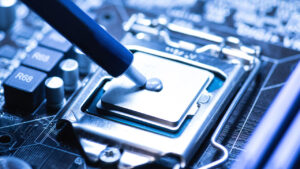
How To Know If Your CPU is Overheating & How To Fix/Prevent It
Do you ever notice your computer running slower than usual or shutting down unexpectedly? If so, you may be experiencing an overheating CPU, which can be a major headache for any computer user. But what exactly is CPU overheating, and why is it such a common issue? Computer overheating occurs when the Central Processing Unit, […]

What to Look for When Buying a New Laptop in 2025
What to Look for When Buying a New Laptop in 2025 Buying a new laptop in 2025 can feel a bit overwhelming, with so many models on the market, choosing the right one becomes tough. Fast processors, fancy screens, AI tools… It’s a lot. But there’s something for everyone, you just need the right guidance […]
And Operated
All over the World
Divisions to choose from